Showing posts with label Templates. Show all posts

Tuesday, May 8, 2012

I DID IT! Printed My 1st Album! & RadLab

Hi Everyone.... Lots to share... SO... I actually bit the bullet, and had my 2011 Rewind Album printed!  Yes... printed!  I was waiting as patiently as I could wait, and it arrived on Monday afternoon!  I was sitting at work, itching to leave and rip open the box! I LOVE it!

It is so awesome to see it IRL rather than my computer. No matter how much anyone tells you that it is great - you need to print to realize what they mean!  The pic on your screen is nothing like the real thing! Actually seeing it and holding it is weird and so cool! Seriously!

OK... I am not the best scrapper ever, not the best speller, or the best at thinking things through. BUT, I love my album, and what mistakes I notice are mine and mine alone. Most are really silly and make me laugh at myself - like the HUGE staple, or a Misspelled Title (Litte instead of Little, lol!) and the numerous spelling/typing errors in my journaling. For me, it's sort of like "It is what it is..." I wasn't able to fit all my pages so far into this album, so I made a first chronological album, and may print pages for a second album... yes, I scrapped a lot! :)

It was 98 pages long, and I got a nice brown leather album, and had a peek spot for an image. Each page has a nice thickness, and my kids loved looking at them already!  My oldest wanted to take pieces off the pages, and loved that they looked real to him!  Made my night when he said that!  He already asked if he could take it to school!  LOL!  Um... not yet, I have to show it off first!

My images are not the greatest!  I haven't replaced my camera, so I had to use my distance lens, and I put my book on the floor!  I was standing on my couch up high, trying to get the pictures!  I couldn't take a picture for every page, but I got a bunch! Here are some pages... All of the images are linked to my layouts in the gallery if you need credits.
Spinky Dink Scraps Kit

Spinky Dink Scraps Kit


Chelle's Creations Kit, Happy Scrap Girl Watercolor 
Textures and Scrapping with Liz Template


Chelle's Creations Kit, Happy Scrap Girl Watercolor 
Textures and Scrapping with Liz Template


mle: Scraps by the Brush Kit and 
Scrapping with Liz Templates

Jennifer Labre Designs Kit

 Crossbones Cuts Kit and 
Scrapping with Liz Templates

LCC by Amy Stoffel Kit and 
Scrapping with Liz Templates

Tracie Srtoud Designs and Captivated Visions 
Kit with Scrapping with Liz Templates


Designs by Kat Kit and 
Fiddle Dee Dee Templates


LCC by Amy Stoffel kit and 
Fiddle Dee Dee Templates 

Tracie Stroud Designs Kit and 
Fiddle Dee Dee Templates

Tracie Stroud Designs and 
Fiddle Dee Dee Templates

Stolen Moments and Flergs Kit with 
Templates by Fizzy Pop Designs

Chelle's Creations Kit with 
Scrapping with Liz Templates

Chelle's Creations Kit with Scrapping with Liz Templates, 
and my handwriting font - Typative Tall by wm[squared]


Awesome!  I love it!  I'm so glad this venture into digital scrapbooking has really made me proud of my creativity!  My husband loves it too!  He sat for a long time and read each page, and really loved looking at the book!  Made my night!

On top of that wonderful album... I can share that I am a RADvocate!  WOOT!  This means if anyone tried and eventually buys a purchase from Totally Rad, I can ear a comission!  No pressure there... especially if you give it the 30 day trial of the RadLab... you will not want to use anything else for photo editing!  Check it out here!


Well, there you have it!  My Album, and Totally Rad!  YAY!  Thanks for visiting and I hope you come back soon!
Jenn
jk703/The Typative Scrapper


Thursday, May 3, 2012

Hello... Hello... anyone there? Catch Up & Tutorial

Hey everyone!  Yes.... I intended to start the year blogging away, but things got away from me... and I seemed to take a long break.  Well, I've decided that I need to get commited and back to at least a weekly post!  Even if it is just layouts to share.

So.... I have about 15 tutorials that you have to check out and I must continue to share... whether of not anyone reads these, I know I have used my own blog as a reference!  Just last night, I was looking at the Cross Processing Tutorial, and I was laughing at myself!

Plus, today - I signed up to be approved for a RADvocate. I know... what?! is going right through your mind!  OK... I'll explain!  Totally Rad is an awesome photshop plug in that transforms your photos in as few clicks as possible - and it is that easy!  Check out this video from their website: Watch RadLab in Action!  Hopefully, I am accepted as a RADvocate. That means that anyone who purchases something at Totally Rad, from clicking on a banner or from my posts, earns me a commission.  Actually, I'm not too worried about a commission - but sharing this awesome feature is really cool!  I already know of two friends that got it when I told them about RadLab!  Plus, you can try it before you buy - so people know what they are getting beforehand!  Awesome in Photoshop Plugin form! Check it out and keep your fingers crossed for me! :)

Anyway... there is lots going on in life.... My boys are getting bigger, my life crazier, and my work even more boring-er!  LOL!  Making lemonade here!  :)  I'll share the good stuff - kids, and scrapping!  I've completed my first digital scrapbooking album!  Yes... my first and I've been doing this for two years. the first was learning, and the second had a goal - and I completed it!  Yay!  Check it out! I'd love to know what you think!  :)

See it larger, click HERE!

It is iNSD, WOW... there is lots going on!  Check out Scrap Orchard, ScrapMatters, Scrapbook Graphics to get awesome goodies. Those are the stores my designers sell at, lol! There are some awesome deals going on this weekend!

Here are some favorite recent layouts.... 

First one I wasn't even sure of - it's a double, 12 x 24, and that large photo is not the norm for me, but I love it and got a Gallery StandOut at ScrapMatters!  That sure makes you feel better about a layout you aren't sure about, lol!  Colin at the beach with the NYC skyline in the background - April 2012. 
Mix and Match by Scrapping with Liz
Fiddlesticks by Amy Stoffel
Font is SNF Journaling Bold.

Here is one more... I just love the outcome of this layout and no template - which is unheard of from me!  LOL! Here is Colin (again) smiling from the pool last summer. 
I need to look for favorites with Shayne in them for my next post! :)
Font is LD Thankful (Catch) and The Chuck Wearer by Heather Hess. 


Now... I'll end with a tutorial.... one of my favorites!  Adding Texture to Paint...

I find that I really like my pages to look as paper-like as possible. I love great textured papers, felties, scatters and paint. Paint stumped me for awhile, especially how to make it look like it was painted on my paper. Today, I'm going to show you a technique to get paper "painted" on your layout.

I'm using Chelle's Creation's Home for the Holiday BundleScrapping with Liz's 3's a Charm template pack and Watercolor Overlays 3 by Happy Scrap Girl. I'm in the middle of working on my layout, and added a paint swatch to my layout. I want to give it some texture, but I really didn't like the textures that Photoshop has, so I dug into my digital scrap supplies, and pulled out a watercolor overlay.


Step 1:
Open the overlay that you would like to use as your texture in a new photoshop file. Then File > Save As a .psd file. I leave the name of the file as is, so that I can give credit to the designer when uploading my layouts. Remember where you saved your new overlay.


Step 2:
Once you have that overlay saved as a .psd file, click back into your layout. With the paint layer selected, choose Filter > Texture > Texturizer.


Photo & Video Sharing by SmugMug


Step 3:
A new Texturizing screen will pop up. On the right side of the pop up, you will see a small triangle pointing down with some lines. Click on this, and choose Load Texture.


Photo & Video Sharing by SmugMug


Photo & Video Sharing by SmugMug

Step 4:
A second new pop up menu will appear and you should choose the overlay .psd file that you just created a bit ago. Now, under the small triangle, there are 2 sliders. Play with those, until you like the look of your paint. This is a more personal option, and choose what pleases you. For mine, I left the scaling at 50, changed my Relief to 21. There is one more option called Light, and you can change this depending on how you shadow and your angle on your layouts.

Photo & Video Sharing by SmugMug


Photo & Video Sharing by SmugMug

Step 5:
Here is what my paint looks like after applying a watercolor texture.


Photo & Video Sharing by SmugMug

Photo & Video Sharing by SmugMug


My Final Layout - share YOUR LAYOUT using this technique in the comments - I'll be sure to visit and leave some love! 


I know.... I know... that was a long post!  LOL!  Lots goin on!  Hope you come back soon, and I'll be back maybe to share some iNSD goodies... 

This tutorial was created for Scrap Orchard, originally by me. You can view it: HERE! 

Thanks for visiting!  Hope you decided to come back and take a look see - I'm glad to have you!  

Jenn/jk703
The Typative Scrapper

Thursday, March 24, 2011

Project 52: Catch Up, lol... not Pick Up! :)

Hi Everyone.... Just a quick pop in today to show off my recent Layouts for P52.  I am so nutty at work lately, and with only so much time, blogging has slid a little... but I'll be sure to post some more layouts and tutorials soon!  Share them... someone might learn something!  :)

I last showed off Week 1... so now to show off Week 2, and 3!  Here you go!


Week #2 used the following supplies:  Fiddle Dee Dee -- Verbosity Album,  Geek Chic Scraps and Spinky Dink Scraps -- Tell Me About It Kit,  WM [Squared] -- Vintage Summer Alphabet, and the font is Earthquake Typewriter. Photo Action by Paint the Moon.  Note: Scrap Goodies in my picture are from Chelle's Creations and Stampin Up!


Week #3 used these yummy goodies: Jennifer Labre Designs - Winter Wishes and Fiddle Dee Dee Designs - Fuss Free Day by Day: Set 1(was at ScrapMatters, will hopefully be moved to The Digichick soon!) & Fuss Free: Square Pegs.  


It sure seems like snow and winter are the main themes of my pages, but we've gotten so much snow that I am done with winter for the next 5 years!  Really... it is March now... and guess what, we got snow today!  Hello... spring has started!  Hopefully I will get some spring shots for my P52 soon! My main theme for my P52 is simple.... fun pictures, a bit of journaling and paper blocking.  I wanted to keep it easy, no stress and fun to scrap!  I may be behind, but I am doing it and enjoying it!  


I'll be back with Week #4 and Week #5 which are done... sometime this weekend!  


Thanks for visiting!
Jenn (jk703)


Wednesday, February 9, 2011

Goals and a Favorite Photo(s) -- Day 13 & 14 of Bloggity Blog Challenge...

Hey all... I'm sick!  Ick!  But, starting to feel a bit better... and since I seem to have a post every other day.. .here I am... Almost halfway there in my ScrapMatters Bloggity Blog Challenge with some wonderful scrappy ladies!

Goals...
Trying to be on the simple side of things, I will make this one short and sweet!  I want my family to be happy, healthy, and as we all grow, to become better people.  Share our knowledge, share our happiness, and never stop learning!  If we are happy, then we will project that out into the world we live in.  Be true, be honest, and be yourself.

Favorite Photo...
There are way too many.... but I will share a couple of layouts that I scrapped with favorite photos... I , of course, have to show you two... they are my little boys!  I truly love that they will smile for the camera and right now, Colin's interest in pictures is so funny!  You take a pic, and he runs over wanting to see the picture on the screen.  Both boys love to actually take the pictures too, so I think I might have some budding photographers!

Favorite Photo of Colin.  I love the way I treated the photos, and how the layout had turned out.  It was a scraplift challenge at Scrap Orchard, and I scrapped a layout by Caits.  It uses a kit by Captivated Visions, Field of Dreams page kit. I absotutely LOVE Rachel and Captivated Visions, and tried for her CT... sadly, didn't make it back then.  I hate setting myself up for rejection, so we will see if I try again... but this awesome photo and page was created using her goodies and I LOVE IT!  lol!

Captivated Visions: Field of Dreams Kit
Sugarplum Paperie: Canvas Journaling Spots
Ali Edwards: Little Bit of Messy Photo Brushes
Font (by bottom flower) is CK Ali
Based on Layout by Caits, Gracie Girl and Template by nzingha
Favorite Photo of Shayne. Shayne is my older son, and loves to jump around, run like a crazy kid, and just be happy!  I loved this photo (it is a couple years old), just because of the setting, hanging on the fence, and a slight smile!  He may not be looking at me, but I love that cute little face!!  I used Jennifer Fox and Jenn Barrette's Splendiferious kit! Awesome colors, patterns, and a all around great kit!

Splendiferious by Jennifer Fox Designs and Jenn Barette
Wooden Alphabet by Katie Pertiet
For LDrag's Tuesday Template 09-14-10 at ScrapMatters
There you have it... some simple goals, and a couple of favorite pictures! I'm off to read up on some of the posts that everyone else has done!  So excited to read and learn more about these ladies!  


Have a great day and thanks for visiting!
Jenn (jk703)

Tuesday, February 8, 2011

A Layout, Favorite Shows & What I Believe...Day 11 & Day 12

Helloooooo everyone!  I'm here again to climb back on the Bloggity Blog 30 Day Challenge... though mine are spaced out instead of being consecutive days... lol!  Here are my Day 11 and Day 12 posts... all in one! :)


Favorite Shows...
Funny that this would be today's topic for me... since I am home sick (not fun) and actually catching up on all my recorded TV shows!  I've had a migraine on top of things, so I actually restricted my computer time... so what else to do but rest and catch up!  Here are my favorite shows...

CSI - All of them... though lately I've loved NY the best...
NCIS
NCIS: Los Angeles
Criminal Minds
Bones
Castle
Fringe

There used to be so many more, but since I've found digital scrapbooking... well, I haven't been able to keep up with all of them.  So, my list has whittled down to the above and I watch when I can, or lol, when I am sick!  They sometimes sit for months, and months... then I watch a whole bunch!


What I Believe...
Well... this isn't really my type of topic.  I don't really think I want to get into ideology or beliefs, and all the stuffts that go with it...  I think I will leave it at that... :)


Just cause I can... I thought I'd share a recent layout.... Here is my son, Shayne, on the teacup ride at Disney World.... I loved how the pictures always come out with real smiles DURING the ride!  Kids laugh and smile, and have a ball on rides -- I just try to catch it in action! It isn't as easy as the pictures make it out to be... with me bumping around, and trying to sin the teacup!  Makes me prouder that I even got a couple good shots!

The templates are from Scrapping with Liz over at Scrap Orchard, and the kit used was Love You Rain or Shine by Spinky Dink Scraps and Shawna Clingerman over at Gotta Pixel and Sweet Shoppe. I also used Paint the Moon Photoshop Actions!  They are awesome!  If you want easy photo editing actions for photoshop OR elements... check out Annies!  They rock!  A fellow CT member sent me over some photos to play with, and I just finished those - I just hope she likes them!  The actions are that addictive!  lol!


Round and Round Page 1


Round and Round Page 2


I'll post something yummy soon and my P52 Layouts!
Thanks for visiting!
Jenn (jk703)

Wednesday, December 22, 2010

December Goodies! Come take a Peek!

Hi!  Happy Holidays to you and your families!  I'm just popping in to share some of my recent December layouts!  I really, really have to get these all put in a book over the school break, so maybe once I have a book being printed, I can share that link!  


First up is my 2010 Christmas Card!  I just loved it... it took awhile, but I was so happy with it!  My little boys, and me making them giggle so I could get a somewhat decent pic!  It only took me banging a container of M&M's on my head!  Who would have thought!?  I think that someone should have taken a picture of that!


2010 Christmas Card
Supplies Used:  Erica Zane -- A Touch Of Winter(some snowflakes), GG Digital Designs -- Winter WishesFiddle Dee Dee Designs -- Fuss Free: Christmas Greetings and Ali Edwards -- Holiday Word Art.


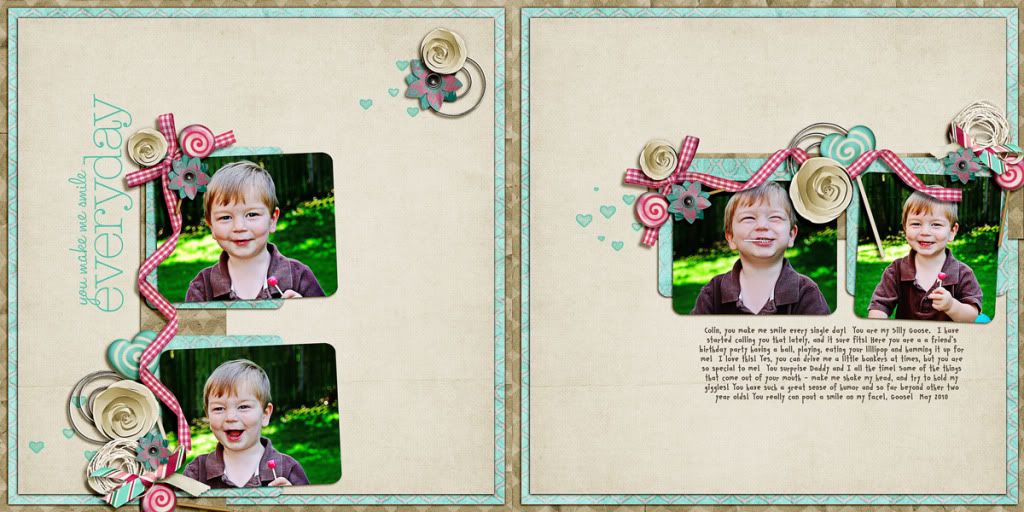
Goose!  
Photobucket


Supplies Used:  Sugar On Top Collab by Spinky Dink Scraps and Project BBlueprints Set 6 by Studio True Blue, Fine Line Page Titles No. 3 by Katie Pertiet, and the font is CK Smile.


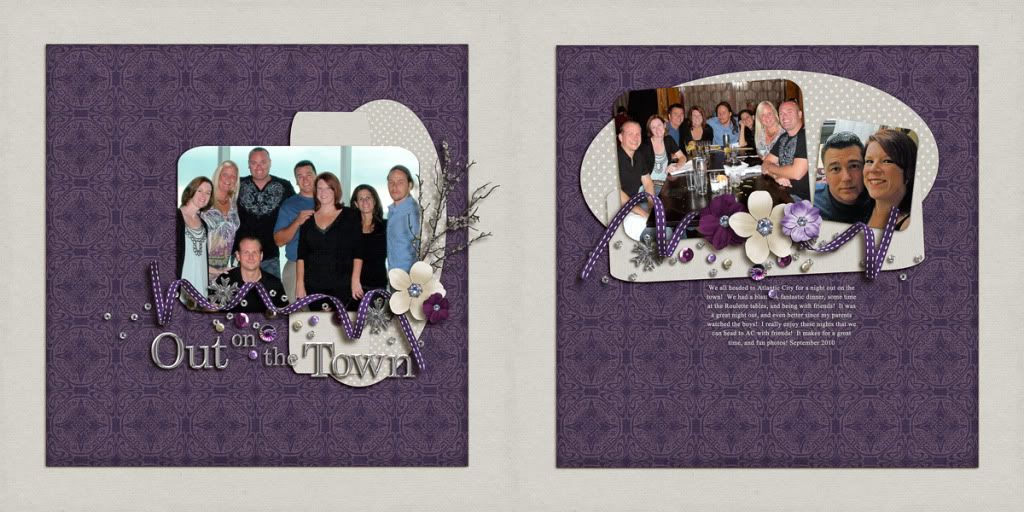
Out on the Town
Night Out Double


Supplies Used:  Winterberry by Jennifer Labre Designs, and the font is Times New Roman.

Thanks for looking and checking out my layouts!  Would love to know what you think?  Trying to improve myself, so Constructive Criticism is welcome!

Have a great day!
Jenn (jk703)

Thursday, November 11, 2010

A Recent Layouts!

Here is a recent layout that I loved.  I just loved the coloring, the scatters, and an actually somewhat ok picture of us!  All are linked to a designer's gallery for all credits!  Thanks for looking!

Using Spinky Dinks Scraps - Take a Chance, and Fiddle Dee Dee Designs (with Wm[Squared] -- DSD Collaboration.  Specifically, this template was from the Don't Box Me In collection.

Open Your Heart To Love 
Thanks for looking, and I'll be adding more and more!  I already have a whole bunch of layouts to share, I just can't type fast enough! (and I do have to get some sleep!)

Have a great night!
Jenn (jk703)

Monday, November 8, 2010

My First Post...

Ok..... Ok... Here goes!  I am starting a blog!  I need to have a place to show off my digiscrappin goodies and layouts!  I am going to also post all the tutorials that I create as well as any articles, tips, recipes or chattery mish mosh that I post all around digi land!  So to start off... I have a few layout to show you!

But first... a layout that inspired me to actually keep a record of my ramblings... silly, happy, sad, and of course random!  


This layout was for Fiddle Dee Dee Designs, and the Artisan Notebook for November 2010!  I used Jennifer Fox Design's Rought and Tumble to complete my layout!  It was also my first non-photo, heavy journaling layout! I like to type and chat, but journaling is difficult!  


And there you have it... my first quick blog post!  I'm now going to try to upload a bunch of layouts as well as any tutorials or tips that I have blogged about (for my designers!)


Have a great day!
Jenn (jk703)